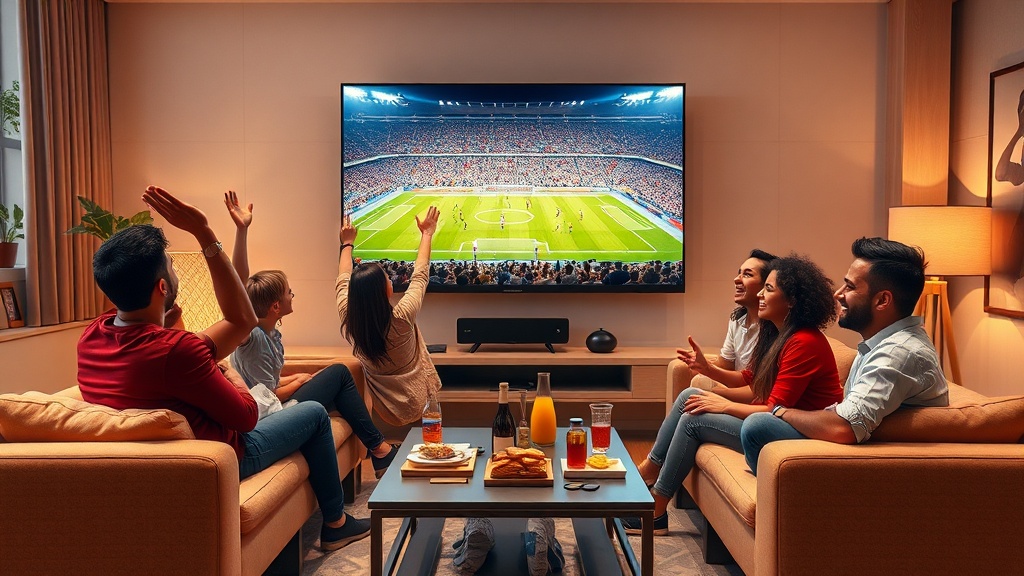
IPTV Box technology continues to redefine how we consume television content, offering unparalleled flexibility and a vast array of channels. In 2026, the humble IPTV Box is no longer just a simple media player; it’s a sophisticated gateway to a world of entertainment, live sports, movies, and on-demand programming. Understanding the nuances of choosing and optimizing your IPTV Box is crucial for a seamless viewing experience.
Table of ContentsWhat is an IPTV Box and Why Do You Need One?Choosing the Best IPTV Box for Your Needs in 2026Setting Up Your IPTV Box: A Step-by-Step GuideOptimizing Your IPTV Box for Peak PerformanceAdvanced Features and Customization for Your IPTV BoxTroubleshooting Common IPTV Box IssuesThe Future of IPTV Box Technology in 2026 and BeyondFAQRelated IPTV Services
What is an IPTV Box and Why Do You Need One?
An IPTV Box, or Internet Protocol Television Box, is a device that allows you to stream television content over the internet instead of traditional satellite, cable, or terrestrial broadcast methods. Essentially, it’s a set-top box specifically designed to decode and display IPTV streams. This technology leverages your internet connection to deliver high-quality video and audio directly to your television, offering a much broader selection of channels and on-demand content than conventional TV services.
The primary advantage of an IPTV Box lies in its versatility. Unlike traditional cable, which often bundles channels you don’t watch, IPTV services typically offer more customized packages. An IPTV Box acts as the bridge between these services and your TV, providing a user-friendly interface to navigate through thousands of channels from around the globe. This opens up a world of international content, niche programming, and live events that might otherwise be unavailable in your region.
Furthermore, many modern IPTV Boxes come equipped with advanced features such as PVR (Personal Video Recorder) capabilities, allowing you to record live TV, and VOD (Video On Demand) libraries, providing access to a vast collection of movies and TV shows at your convenience. The ability to pause, rewind, and fast-forward live television further enhances the viewing experience, putting you in complete control of your entertainment. Choosing the right IPTV Box is paramount to unlocking these benefits.
The evolution of internet speeds and compression technologies has made IPTV a highly reliable and popular alternative to traditional broadcasting. With a good internet connection, an IPTV Box can deliver crystal-clear picture quality, often in HD and even 4K, making it a superior choice for discerning viewers. For those looking to cut the cord from expensive cable subscriptions, an IPTV Box presents a compelling and cost-effective solution.
Choosing the Best IPTV Box for Your Needs in 2026
Selecting the ideal IPTV Box requires careful consideration of several factors, including hardware specifications, operating system, and compatibility with various IPTV services. In 2026, the market is flooded with options, from budget-friendly devices to high-end media centers. Your choice should align with your specific viewing habits and technical requirements.
Key hardware specifications to look for include the processor (CPU), RAM, and internal storage. A powerful processor ensures smooth navigation and seamless streaming, especially for high-definition and 4K content. Adequate RAM prevents buffering and lag, particularly when running multiple applications or navigating complex interfaces. Internal storage is important for installing applications, storing recordings, and downloading content. Consider devices with at least 2GB of RAM and 16GB of storage for optimal performance.
The operating system is another critical component. Most IPTV Boxes run on Android TV, offering access to the Google Play Store and a wide range of streaming apps. Other options include Linux-based systems, which can offer more customization for advanced users, or proprietary operating systems designed for specific IPTV services. Android TV is generally recommended for its user-friendliness and extensive app ecosystem, making it easy to integrate with other smart home devices.
Compatibility with IPTV services is paramount. Ensure the IPTV Box you choose supports the protocols and applications required by your preferred IPTV provider. Many providers offer their own dedicated apps, while others rely on third-party players like Kodi or Perfect Player. Check reviews and specifications to confirm that the device can handle your chosen service without issues. You can explore the channels available through various services before making a decision on your IPTV Box.
Finally, consider connectivity options. Look for an IPTV Box with robust Wi-Fi capabilities (preferably Wi-Fi 6 for future-proofing) and an Ethernet port for a more stable wired connection. USB ports are useful for connecting external storage or peripherals, while HDMI 2.0 or higher is essential for 4K output. These features ensure your IPTV Box is well-equipped for all your entertainment needs.
Setting Up Your IPTV Box: A Step-by-Step Guide

Once you’ve chosen your IPTV Box, the setup process is relatively straightforward, even for those new to IPTV technology. Following these steps will ensure a smooth and efficient installation, getting you up and running with your new entertainment hub in no time.
First, physically connect your IPTV Box to your television using an HDMI cable. Ensure both the box and the TV are powered off before making connections. Then, connect the power adapter to the IPTV Box and plug it into a wall outlet. For the best performance, especially for high-definition streaming, connect an Ethernet cable from your router to the IPTV Box. If using Wi-Fi, you’ll configure it in a later step.
Next, power on your TV and switch to the correct HDMI input. Then, power on your IPTV Box. You should see the device’s startup screen. Follow the on-screen prompts to complete the initial setup, which typically includes selecting your language, region, and connecting to your internet network. If using Wi-Fi, you’ll need to select your network from the list and enter your password. A stable internet connection is vital for any IPTV Box.
After connecting to the internet, you’ll likely be prompted to sign in with a Google account if your IPTV Box runs on Android TV. This allows you to access the Google Play Store to download apps. Once signed in, navigate to the app store and search for your chosen IPTV player or the official app provided by your IPTV service. Popular choices include Smarters Pro, TiviMate, or Kodi. Download and install the application.
Finally, launch the IPTV application and enter your subscription details, which typically include a username, password, and server URL provided by your IPTV service provider. Once these details are entered and verified, your IPTV Box should load the channel list and VOD library, allowing you to start enjoying your content. If you encounter any issues, consult the user manual or your service provider’s support resources. For information on service costs, visit IPTV Satlink pricing.
Optimizing Your IPTV Box for Peak Performance
To get the most out of your IPTV Box, it’s essential to optimize its settings and maintain it properly. A well-optimized IPTV Box delivers a smoother, buffer-free, and higher-quality viewing experience, significantly enhancing your enjoyment of IPTV content.
One of the most crucial optimization steps is ensuring a stable and fast internet connection. While an IPTV Box can function on Wi-Fi, a wired Ethernet connection is always recommended for consistent performance, especially for 4K streaming. If a wired connection isn’t feasible, ensure your Wi-Fi router is strategically placed and that you’re using a modern router that supports high speeds and low latency. Consider upgrading your internet plan if you frequently experience buffering, as your connection speed is the backbone of your IPTV experience.
Regularly update your IPTV Box’s operating system and installed applications. Software updates often include performance enhancements, bug fixes, and security improvements that can significantly impact your device’s efficiency. Check for updates periodically in your device settings or within the individual app settings. Keeping your software current helps prevent compatibility issues and ensures your IPTV Box is running at its best.
Manage your storage wisely. While modern IPTV Boxes offer ample storage, installing too many unnecessary apps or accumulating large amounts of recorded content can slow down your device. Regularly clear the cache of your IPTV apps and uninstall any applications you no longer use. This frees up valuable resources and helps your IPTV Box operate more efficiently. Some devices allow you to expand storage with an SD card or external hard drive, which can be useful for extensive recording.
Adjusting video and audio settings can also make a difference. Ensure your IPTV Box’s display resolution matches your TV’s native resolution for the sharpest picture. Experiment with different video decoders within your IPTV app settings if you experience playback issues. Additionally, disabling background apps or processes that consume system resources can free up CPU and RAM, leading to a smoother user experience. These small adjustments can collectively make a big difference in the overall performance of your IPTV Box.
Advanced Features and Customization for Your IPTV Box
Beyond basic streaming, modern IPTV Boxes offer a wealth of advanced features and customization options that can elevate your viewing experience. Understanding and utilizing these capabilities can transform your simple media player into a personalized entertainment hub.
Many high-end IPTV Boxes support advanced audio formats like Dolby Atmos and DTS:X, providing immersive surround sound when connected to a compatible audio system. If you’re an audiophile, look for devices that explicitly state support for these technologies. Similarly, HDR (High Dynamic Range) support for video ensures more vibrant colors and greater contrast, making your 4K content truly pop on an HDR-compatible television. Checking these specifications can significantly enhance your home theater setup. Consider what devices are compatible with such features.
Customization often extends to the user interface. Many Android TV boxes allow you to install custom launchers, which can completely re-skin your home screen and reorganize your apps for better accessibility. You can also remap remote control buttons or connect external peripherals like game controllers and keyboards for a more interactive experience. This level of personalization ensures your IPTV Box feels truly yours and is optimized for your specific usage patterns.
PVR and VOD functionalities are becoming standard, but some IPTV Boxes offer more sophisticated versions. Look for features like scheduled recordings, series recording, and comprehensive VOD libraries with detailed metadata and search functions. Some services even integrate catch-up TV, allowing you to watch previously aired programs within a certain timeframe. These features provide unparalleled flexibility, ensuring you never miss your favorite shows.
Finally, exploring the world of third-party add-ons and applications can unlock even more content. Platforms like Kodi, for instance, support a vast ecosystem of add-ons for streaming, gaming, and utilities. While caution is advised when installing third-party software from unofficial sources, legitimate add-ons can significantly expand the capabilities of your IPTV Box, offering access to niche content, retro gaming emulators, and productivity tools. Always ensure you are using a secure VPN when exploring content that might be geo-restricted or from less reputable sources.
Troubleshooting Common IPTV Box Issues
Even with the most advanced IPTV Box, occasional issues can arise. Knowing how to troubleshoot common problems can save you time and frustration, ensuring minimal disruption to your viewing pleasure. Most problems are easily resolved with a few simple steps.
One of the most frequent issues is buffering or freezing during playback. This is almost always related to your internet connection. First, check your internet speed using an online speed test. If it’s significantly lower than what’s required for your streaming quality (e.g., 25 Mbps for 4K), contact your ISP. If your speed is adequate, try restarting your router and your IPTV Box. A simple reboot often clears network congestion. If using Wi-Fi, try moving closer to the router or switching to a wired Ethernet connection for better stability. Clearing the cache of your IPTV application can also help.
Another common problem is a blank screen or no signal. Ensure all cables, especially the HDMI cable, are securely connected to both your TV and the IPTV Box. Try switching to a different HDMI port on your TV or using a different HDMI cable to rule out faulty hardware. Make sure your TV is set to the correct HDMI input. If the issue persists, try power cycling both your TV and the IPTV Box by unplugging them for a minute and then plugging them back in.
Issues with the remote control can also be frustrating. First, check and replace the batteries. If that doesn’t work, ensure there are no obstructions between the remote and the IPTV Box. Some remotes require line of sight. If your remote uses Bluetooth, try re-pairing it with the device according to your IPTV Box’s manual. For advanced issues, a factory reset of the IPTV Box might be necessary, but this should be a last resort as it will erase all your settings and installed apps.
If your IPTV Box is slow or unresponsive, similar to buffering issues, clearing app caches and uninstalling unused applications can help. Ensure your device’s firmware is up to date, as updates often include performance improvements. If the device consistently overheats, ensure it has adequate ventilation and is not placed in an enclosed space. Persistent problems, especially with specific channels or content, might indicate an issue with your IPTV service provider, in which case contacting their support is the next logical step.
The Future of IPTV Box Technology in 2026 and Beyond
The landscape of television consumption is constantly evolving, and the IPTV Box is at the forefront of this transformation. In 2026, we can anticipate several key trends and technological advancements that will further enhance the capabilities and user experience of these devices.
Artificial intelligence (AI) and machine learning (ML) are set to play a more significant role. Expect IPTV Boxes to feature more sophisticated content recommendation engines that learn your viewing preferences over time, offering highly personalized suggestions across live TV, VOD, and other streaming services. AI could also enhance voice control, making it easier to search for content, control playback, and even manage smart home devices connected through your IPTV Box.
Integration with smart home ecosystems will become seamless. Your IPTV Box could serve as a central hub, allowing you to control lights, thermostats, and security cameras directly from your TV screen. This convergence of entertainment and smart home management will create a more interconnected and convenient living space. The next generation of IPTV Box will be more than just a media player; it will be a pivotal smart home device.
The push for higher resolution and immersive experiences will continue. While 4K is now common, 8K content and devices are slowly gaining traction. Future IPTV Boxes will be equipped with more powerful processors and advanced decoding capabilities to handle these ultra-high-resolution streams. Furthermore, advancements in augmented reality (AR) and virtual reality (VR) might see some integration, offering new ways to consume interactive content or experience virtual events through your IPTV Box, though widespread adoption might still be a few years off.
Cloud-based features will expand, with more emphasis on cloud DVRs and personalized profiles stored remotely. This will allow for a more consistent experience across multiple devices and locations. Security and privacy will also be paramount, with enhanced encryption and user authentication measures becoming standard. As the complexity of content delivery grows, the IPTV Box will continue to adapt, offering robust, secure, and user-centric solutions for the ultimate entertainment experience. You can always check IPTV Satlink for the latest in IPTV services and device compatibility.
FAQ
Q1: What is the main difference between an IPTV Box and a smart TV?
A smart TV has built-in internet connectivity and apps, while an IPTV Box is a separate device that connects to any TV (smart or not) to provide IPTV services. An IPTV Box often offers more specialized features, better performance for streaming, and a wider range of customization options specifically for IPTV content than a smart TV’s native apps.
Q2: Do I need a fast internet connection for an IPTV Box?
Yes, a stable and fast internet connection is crucial for a good IPTV experience. For standard definition (SD), 5-10 Mbps is usually sufficient, but for high-definition (HD) content, 20-30 Mbps is recommended. For 4K streaming, you’ll need at least 40-50 Mbps to avoid buffering. A wired Ethernet connection is always preferred over Wi-Fi for optimal stability.
Q3: Can I record TV shows with an IPTV Box?
Many modern IPTV Boxes come with PVR (Personal Video Recorder) capabilities, allowing you to record live TV. This usually requires either internal storage on the device or an external USB drive/SD card. Some IPTV services also offer cloud-based DVR services, where your recordings are stored on their servers.
Q4: Are IPTV Boxes legal?
The legality of an IPTV Box itself is generally not an issue, as it is just a hardware device. The legality depends on the IPTV service you subscribe to. Subscribing to legitimate, licensed IPTV services is legal. However, using an IPTV Box to access pirated content or unauthorized streams is illegal. Always ensure your IPTV provider is operating legally.
Q5: Can I use an IPTV Box for other streaming services like Netflix or YouTube?
Most IPTV Boxes, especially those running on Android TV, allow you to download and install a wide range of streaming applications from their respective app stores, including popular services like Netflix, YouTube, Hulu, Disney+, and more. This makes an IPTV Box a versatile media center for all your streaming needs.
Related IPTV Services
You may also visit the following websites for similar services: